
Whole Slide Image (WSI) Diagnoses Training
Select and WSI from the list. Use the integrated WSI viewer to navigate in the image and look closely to the morphology of the tissue regions. Select occuring tissue types. A help section can be used to show AI generated segmentation maps of defined tissue types. Make a diagnosis of the WSI by selecting the correct diagnosis. Show viewport, viewpaths and regions-of-interests (ROIs) from experts to learn from their experience. Finally, sumbit your answers and view the score. Continuoue with other WSIs.
Your task:
- Select a Whole Slide Image
- Select occuring tissue types and diagnose the WSI.
- Optional: Help. Each used help will reduce the final score:
- Viewports, Regions-of-Interest (ROIs) and ViewPaths of Experts
- Combined tissue segmentation map with defined tissue types
- Single tissue segmentation maps of defined tissue types
- Submit your diagnosis and view the score.
- Repeat with another WSIs
Example of additional information:
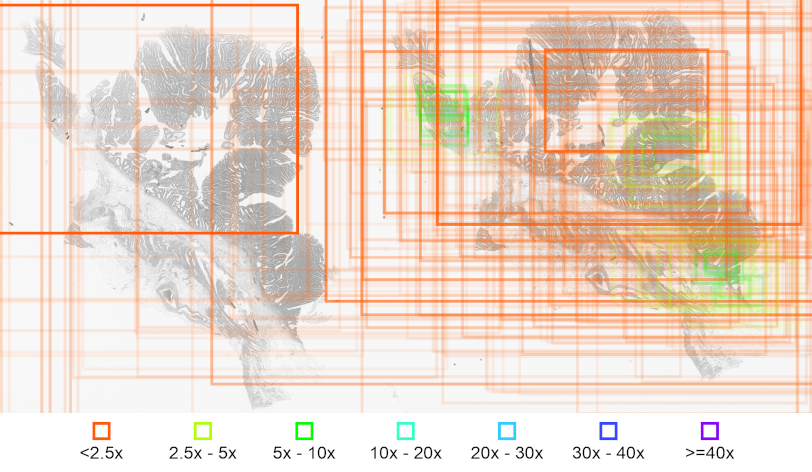
Figure 1: Visualization of viewports of an expert pathologist during the observation an a WSI.Rectangles indicate the respective viewports, color coding indicates the magnification and transparency implies the duration of viewing during each viewport.